Send Peppol invoices — without becoming an Access Point
No Integrator ? No Access Point ? No problem.
Peppox becomes your integrator so you can send
invoices and credit notes to the Peppol network via a simple API
without becoming an Access Point and
without registering with any Access Point — a procedure that is often
long and laborious.

Begin in minutes — credentials & API key arrive by email right after signup.
-
Create Company account
Sign up as a Company to access Peppox Managed AP.
-
Receive login & API key
We email your Dashboard login/password and your API key immediately.
-
Call the API
Your software sends a simple JSON request — no AP registration needed.
-
Monitor on web & mobile
Track sent/received in real time from the dashboard and the app.
All without becoming or registering with an Access Point.
Traditionally, you must choose an external integrator or sign with an Access Point.
With Peppox Managed AP, you don’t need to become or register with an Access Point — we act as your integrator and route your documents to Peppol for you.
How it works
Create your company account
We email your Company Dashboard login & password and your API key right after signup — no Access Point registration needed.
Connect your software
Your programmer posts a simple JSON request to Peppox. No lengthy Access Point onboarding or paperwork.
Send & track
Start sending invoices and credit notes without becoming an Access Point. Track delivery and receptions on web and mobile in real time.
Why companies choose Peppox
- Skip AP registration: start without becoming or registering with an Access Point.
- Simple API: your programmer integrates quickly using a clean JSON request.
- Fast start: credentials and API key are emailed right after account creation.
- Dashboard visibility: verify sent & received documents in a secure UI.
- Mobile apps (iOS & Android): keep a real-time eye on deliveries and receptions.
- Peppol-compliant routing: Peppox handles the network side for you.


Send invoices and credit notes
Your software posts a clean JSON payload; Peppox delivers it to Peppol without registering with any Access Point.
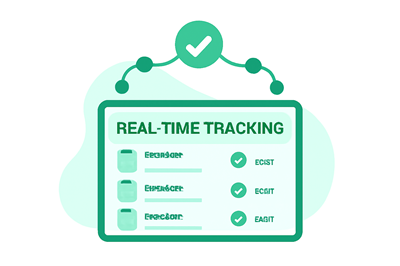
Track delivery in real time
Watch statuses update as your documents travel through the network. See IDs, timestamps, and responses — no AP onboarding delays.
See everything you receive
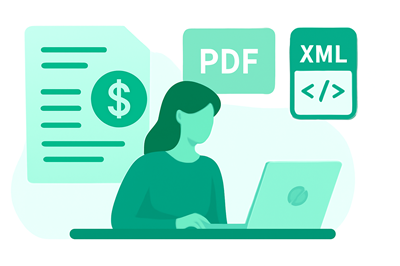
All incoming Peppol documents in one place, with instant access to PDF and XML for verification.
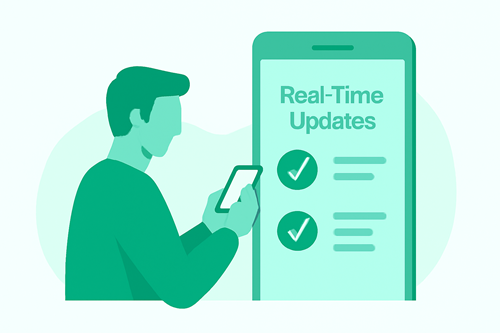
Stay informed from anywhere
Use the iOS or Android app to keep an eye on activity in real time — sending and receiving, at a glance.
Simple pricing
Peppox Managed Access Point (Company plan)
Everything you need to send & receive via Peppol as a company, without becoming or registering with an Access Point.
After signup: you receive your Company Dashboard login & password by email and your API key to start sending and receiving immediately.
- Managed Access Point (Peppox acts as your integrator)
- API access for your software
- Secure web dashboard (sent & received)
- Mobile app for iOS & Android
- Email support
Frequently asked questions
Do we need our own Access Point?
No. Peppox acts as your integrator — you can start sending and receiving via our managed Access Point without becoming or registering with an Access Point.
Do we need a developer?
You’ll need a programmer (or your software vendor) to call a simple API endpoint from your invoicing system.
Can we monitor activity?
Yes. Use the Peppox dashboard and the mobile app (iOS/Android) for real-time visibility of sent and received documents.
Ready to send invoices to Peppol without an Access Point?
Create your Company account and ask your programmer to connect your software to the Peppox API. You’ll send Peppol documents without becoming or registering with an Access Point. We email your Company Dashboard credentials and API key right away so you can start fast.

 English
  French
  Spanish
  German
  Dutch
Dutch  Norwegian
  Danish